
For screen printers
Screen printing software
Price by colours and quantity, get art approved, and move every job through the press with barcodes.
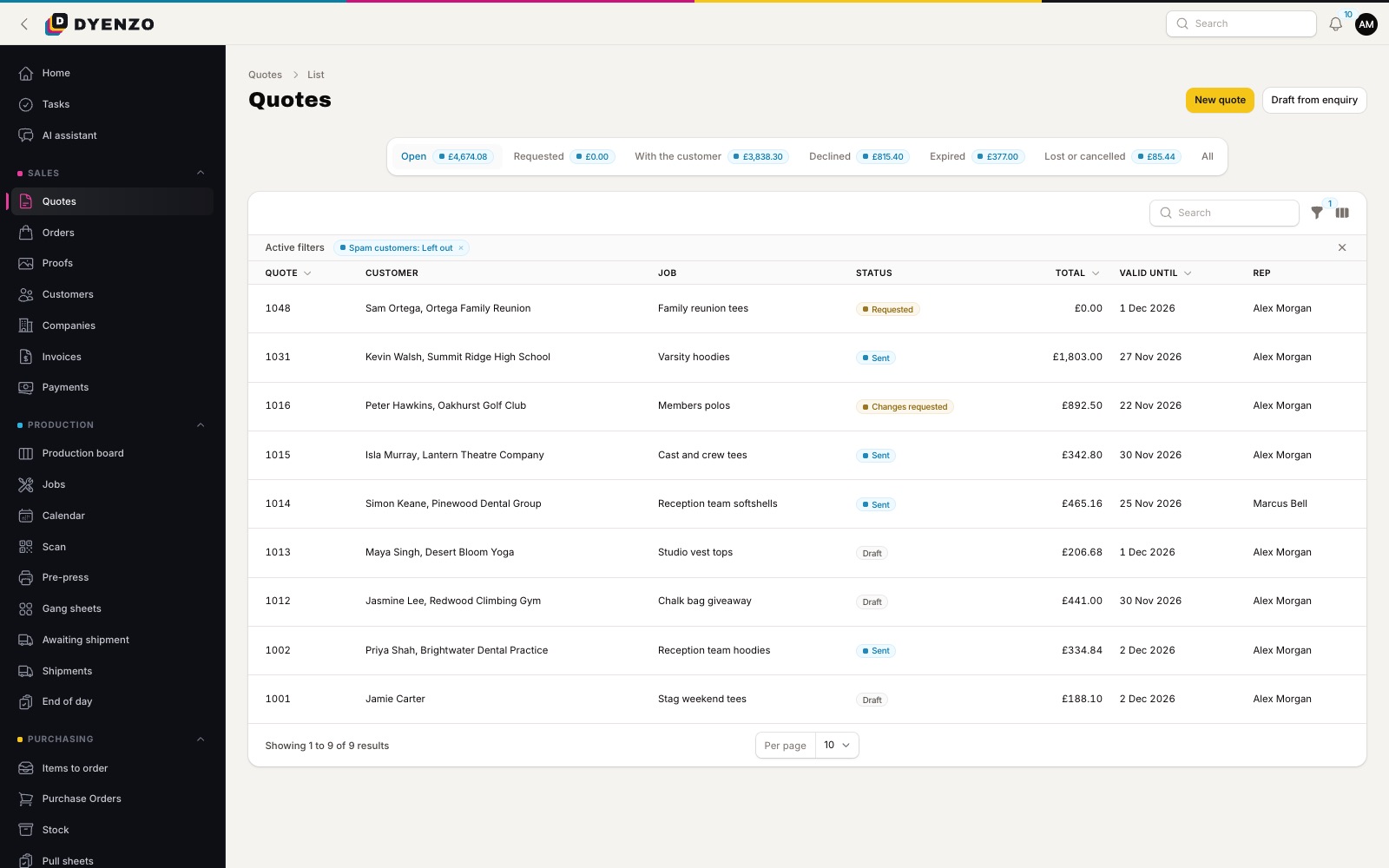
Quotes that price themselves
Price matrices by quantity and number of colours, setup fees per screen, flash and colour change fees, and screens kept for repeat orders.
From approval to press
- Proofs customers approve online
- Separation films for spot colour prints
- Jobs by stage on a production board
- Station scheduling and a production calendar
Screen printing software that follows your workflow
Screen printing has more moving parts than most decoration methods. Every colour needs a screen, dark garments need an underbase, and a repeat order should not pay for the same screens twice. Screen printing software has to price all of that properly, then get the job from approved art to the press without anyone rekeying it. Dyenzo does this from the first quote to the last box shipped.
Step 1: price the job
Set up price grids by quantity and number of colours for each print location. Add your setup fee per screen, a flash fee for prints that need an underbase, and a colour change fee for each extra garment colour. If a customer reorders the same design within the number of days you choose, Dyenzo leaves the screen setup off. Minimum quantities and line minimums stop small orders slipping through at a loss. Every quote line has a "why this price" breakdown, so a new member of staff can quote like you do.
- Price by quantity and colours, per print location
- Setup fee per screen, or a set fee per product
- Flash fee and colour change fee
- Screens kept for repeat orders, for as long as you choose
- Price breaks shown to the customer on the quote
Step 2: get the art approved
Send the customer an online proof. They approve it, or comment with a picture or PDF, from a link. You can hold approval until the deposit is paid. Dyenzo checks each design against the method: resolution, print size, safe zone and the number of colours, so a seven-colour design on a four-colour job shows up before it reaches the press. Colour reduction can take an image down to a set number of inks or your own ink palette, keeping the original.
Step 3: separations and print files
When art is approved, Dyenzo makes the print files at their exact size. Turn on separations and you also get one black film per ink for solid-colour prints, ready for your film printer. Ink names from your own palettes go into the print pack as a colour sheet, so the press operator knows what to mix.
Step 4: blanks in on time
Each order lists the garments it needs by style, colour and size. Raise purchase orders by supplier in one go, or let Dyenzo draft them at a set time each day from the day's orders. Receive deliveries against the PO, including short and part deliveries. A job will not start until its blanks are in, if you want that rule.
Step 5: the press
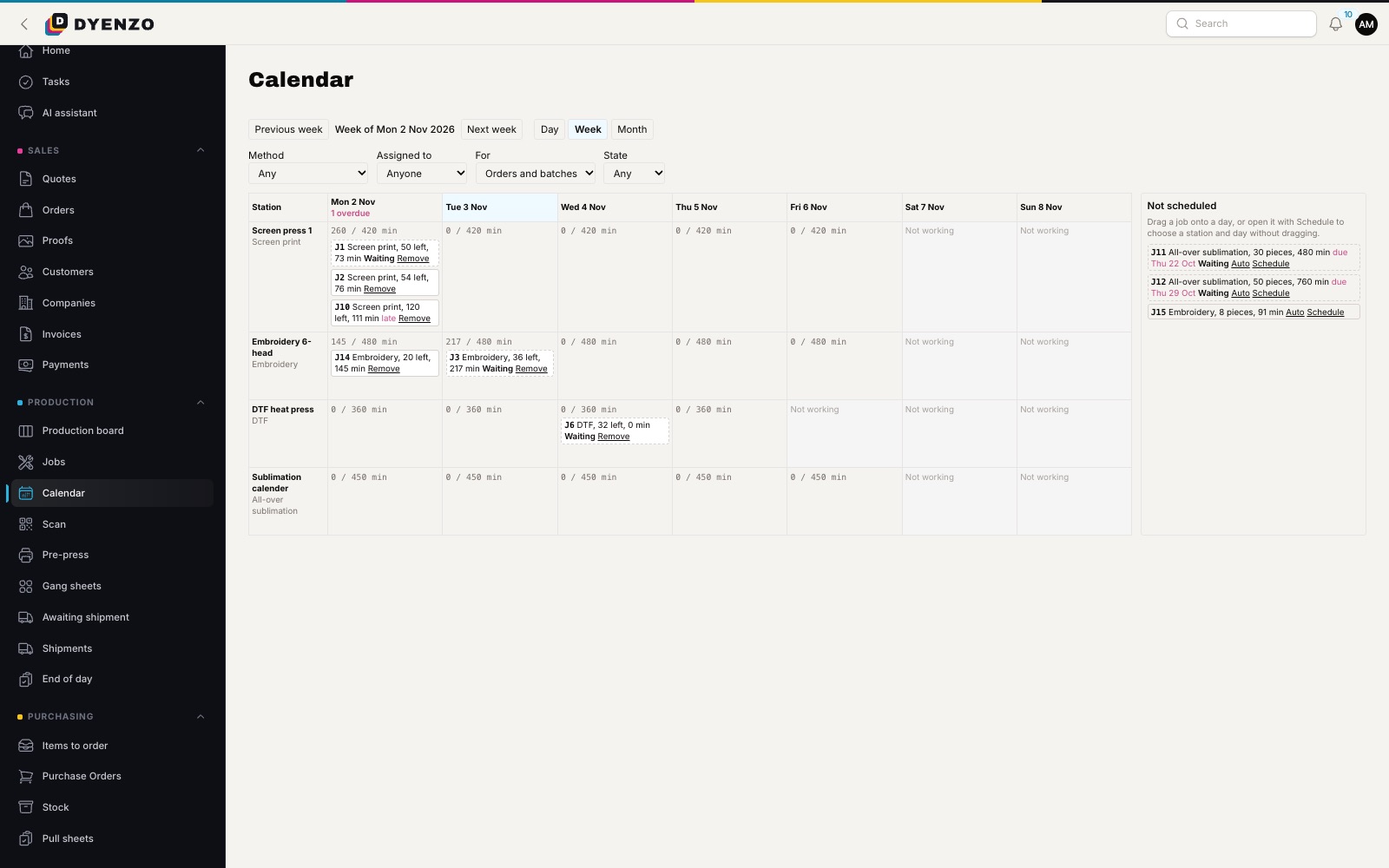
Every approved order makes a production job. You choose whether jobs split by method, by print location or by order line, which suits shops that print fronts and backs on different presses. Jobs move across the production board by stage. The production calendar shows what each station has booked against its minutes per day, and what is due or overdue.
Step 6: count, pack, ship
Operators scan the job ticket barcode with a phone or scanner to move it on and record the pieces printed. Then buy the label, print the packing slip and send tracking. The final invoice can be issued and paid online, and synced to QuickBooks Online or Xero.
Setup fees and repeat orders at a glance
| Situation | How Dyenzo prices it |
|---|---|
| New design, two colours front | Two screen setups plus the grid price for two colours |
| Same design reordered within your screen-keep window | No screen setup, grid price only |
| Print on a dark garment | Flash fee added where you set one |
| Same design on three garment colours | Colour change fee for each colour after the first |
| Team store order | One-off setup fees left off each store order |
Stores and online orders for screen printers
Team stores, spirit wear stores and company stores suit screen printing well, because they collect many small orders into one run. When a store closes, every order becomes one batch with one set of screens, so the setup cost is shared across the whole order.
Questions
Can I charge per colour and per location?
Yes. Matrices price each print location by its number of colours, and setup fees can be per screen.
Can I print films for separations?
Yes. Turn on separations and each solid-colour print file comes with one black film per ink in the print pack.
Does it handle print-on-demand work too?
Yes. Orders from your website, Shopify merchants and marketplaces arrive priced and ready for proofs and production.
How do I stop a job starting before the shirts arrive?
Jobs wait for blanks on a live purchase order. You can also refuse piece counts until the PO is received.
Related
Dyenzo is opening to its first print businesses
Write to us for early access. Tell us what you print and which modules you need.