
For every decorator
Print shop management software
One system from the first quote to the paid invoice, so nothing is typed twice and every order is where you expect it.
Everything a decorated apparel shop runs on
- Quotes and proofs customers approve online
- A production board, job tickets and barcode scanning
- Purchase orders for the blanks each order needs
- Invoices, payments, statements and UK VAT or US sales tax
- Shipping labels and tracking
Built for the UK and the US
Pounds or dollars, A4 or Letter paperwork, UK VAT built in and US sales tax through a tax service, and carriers for both countries.
What print shop management software should do
A decorated apparel shop runs on a chain of small jobs. Price the work, get the art right, order the blanks, decorate, pack, ship and get paid. When each step lives in a different spreadsheet, inbox or whiteboard, orders slip between them. Print shop management software keeps the whole chain in one place, so each step starts from what the last one left behind. Dyenzo is built for screen printers, embroiderers, DTF and sublimation shops, and teamwear makers, in the UK and the US.
Your day starts on one screen
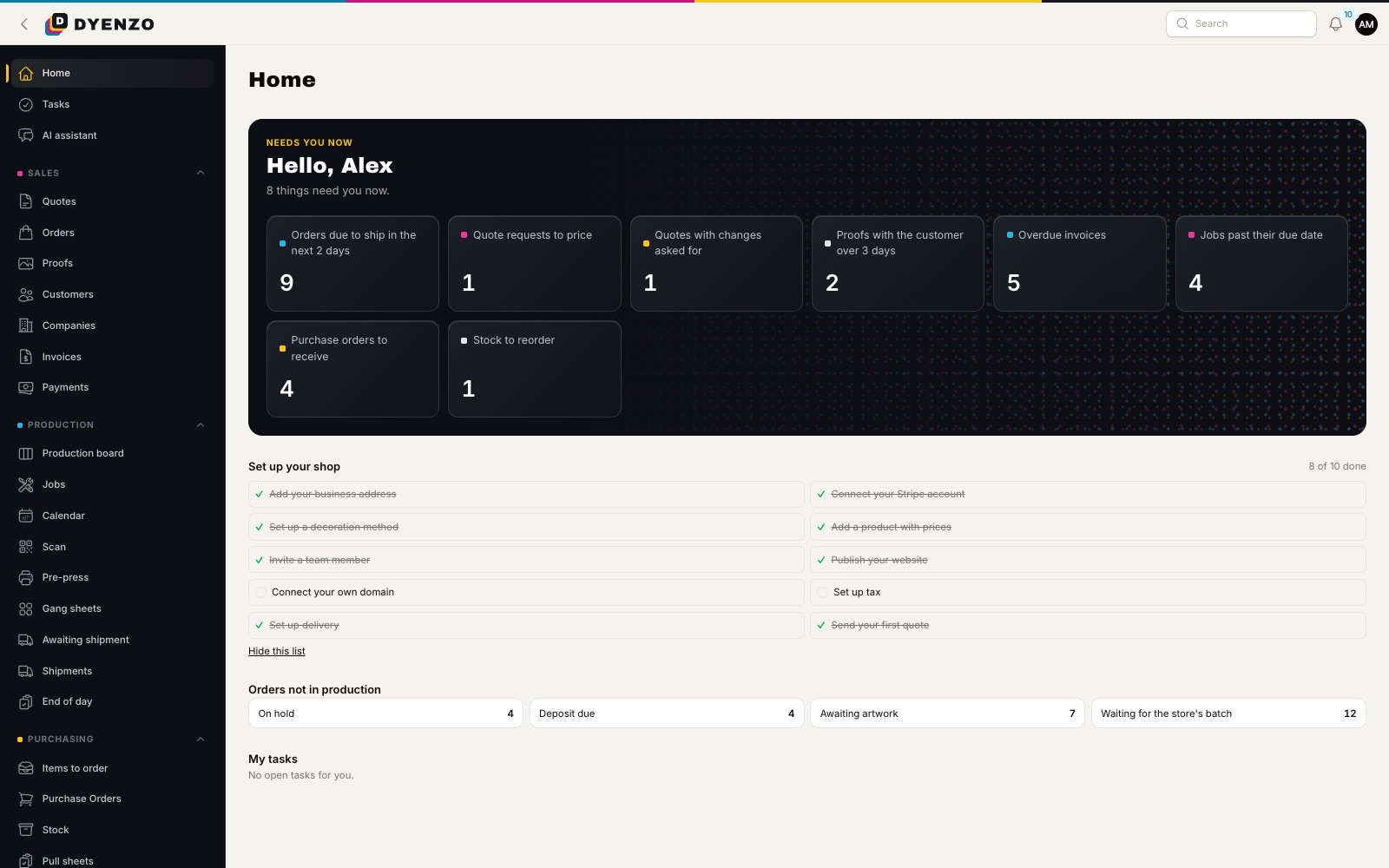
The Dyenzo home page is a to-do list for your shop. It shows what needs you now: quotes waiting for a reply, proofs to send, orders on hold, purchase orders to raise, jobs running late and invoices overdue. Each person sees only the items their role covers, so the press operator is not looking at collections and the accounts person is not looking at screens.
Step 1: the quote
Build a quote from your product catalogue and price grids. Dyenzo prices every line from the garment cost, your markup and the decoration method, whether that is screen print by colours, embroidery by stitches, DTF by size or a flat price. Each price comes with a "why this price" breakdown, so you can check it before it goes out. The customer gets a PDF and a link to approve or decline online, and can pay a deposit straight away if you ask for one. Follow-up emails go out on their own if a quote sits unanswered.
Step 2: art and proofs
Once the quote is accepted it becomes an order with nothing typed again. Artwork tasks are made for your art team. Send a proof, and the customer approves or asks for changes from a link, with comments and pictures. You can require payment of the deposit before approval, or have one proof at a time with each customer. Print-readiness checks flag low resolution, wrong size or too many colours before anything reaches the press.
Step 3: blanks and purchase orders
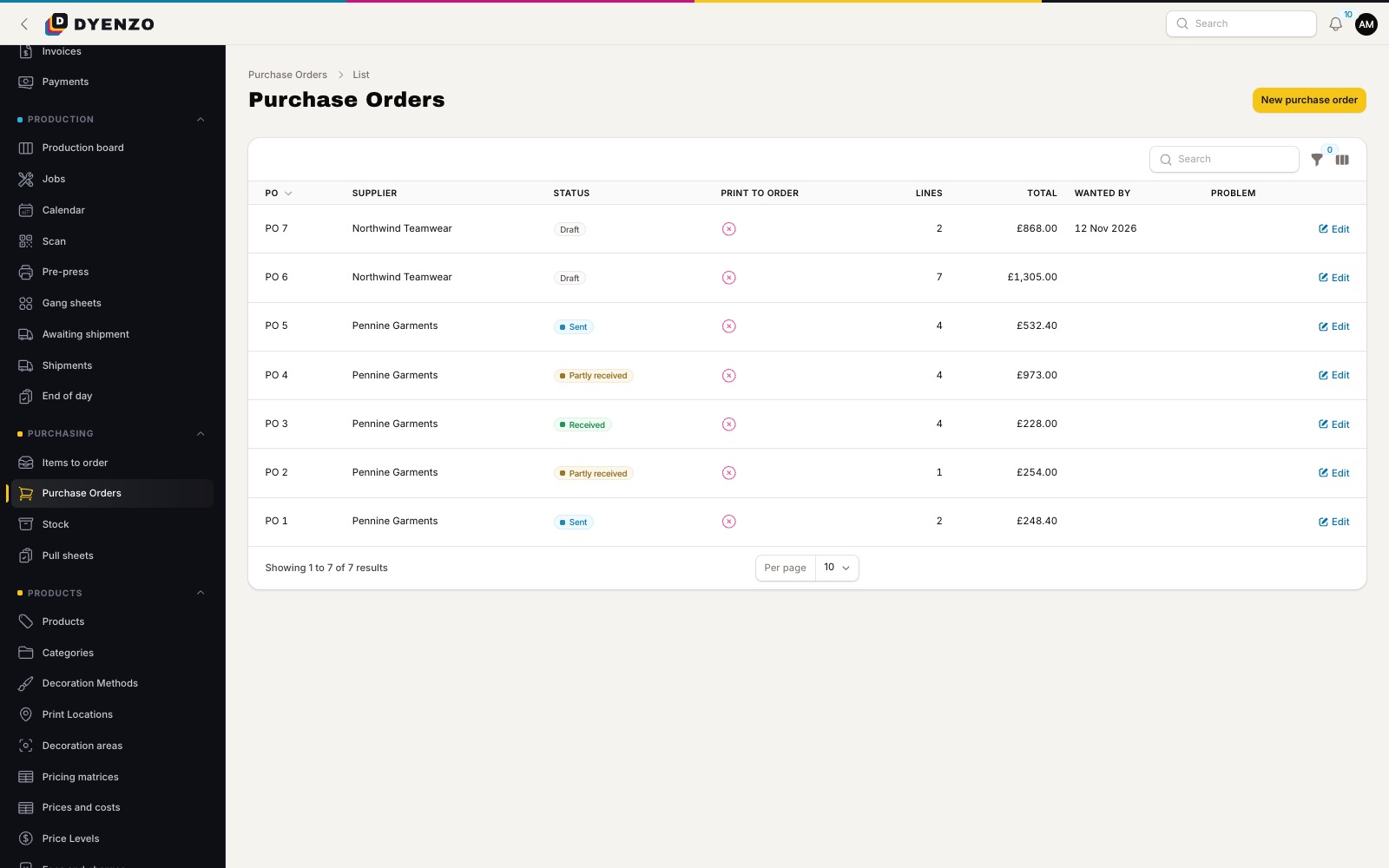
Dyenzo lists the blanks each order needs and raises purchase orders for them, grouped by supplier. You can raise them by hand or let Dyenzo draft or send them at a set time each day. When the boxes arrive, receive them against the PO, part deliveries included, and the order shows that its blanks are in.
Step 4: production
Each approved order makes a job per decoration method. Jobs move across a production board by stage, from waiting to printing to completed, and can be scheduled on a calendar against each station's minutes per day. Print job tickets with barcodes, and your team scans them with a phone camera or a scanner to move jobs on. A job cannot start while it is still waiting for art approval or blanks, so nobody prints on a shirt that is not there.
Step 5: shipping and invoicing
Buy shipping labels at your carrier rates, print packing slips and box labels, and send tracking to the customer. Issue deposit, part and final invoices, take card payments into your own Stripe account, send statements and reminders, and sync invoices and payments to QuickBooks Online or Xero. UK VAT is built in. US sales tax is worked out through a tax service with your own account.
How the pieces connect
| Step | What Dyenzo does |
|---|---|
| Quote | Prices each line from your grids and explains the price |
| Order | Converts the accepted quote with no retyping |
| Proof | Sends an online proof and records the approval |
| Purchasing | Lists the blanks needed and raises POs |
| Production | Makes jobs, schedules them and tracks each stage |
| Shipping | Buys labels and sends tracking |
| Invoicing | Issues invoices, takes payment and syncs to your books |
Online sales feed the same system
Orders from your own website, team stores, company stores, your merchants' Shopify stores and marketplaces land as normal orders, already priced, with their art attached. They go through the same proofs, purchasing and production as a phone order.
Questions
Can I bring my data from my current system?
Yes. Import customers, products, orders and art from your old system's export files. Every import is checked before anything changes.
Does it take a share of my sales?
No. Card payments go into your own Stripe account and we take no fee on them.
Can staff only see their own work?
Yes. Roles control what each person sees and changes. A sales rep can be limited to their own customers and a floor user to their own jobs.
Does it work on the shop floor?
Yes. Scan job tickets with a phone camera or a USB scanner to move jobs between stages and record pieces made.
Which accounting software does it connect to?
QuickBooks Online or Xero, one at a time. Invoices, payments and credit notes are sent across for you.
Related
Dyenzo is opening to its first print businesses
Write to us for early access. Tell us what you print and which modules you need.