
Invoicing and payments
Get paid on time, with no fee from us on your card payments.
Money, handled
- Deposit, part and final invoices
- Payment links and statements
- Reminders sent at sensible hours
- UK VAT and US sales tax
- QuickBooks Online or Xero
Print shop invoicing software that follows the job
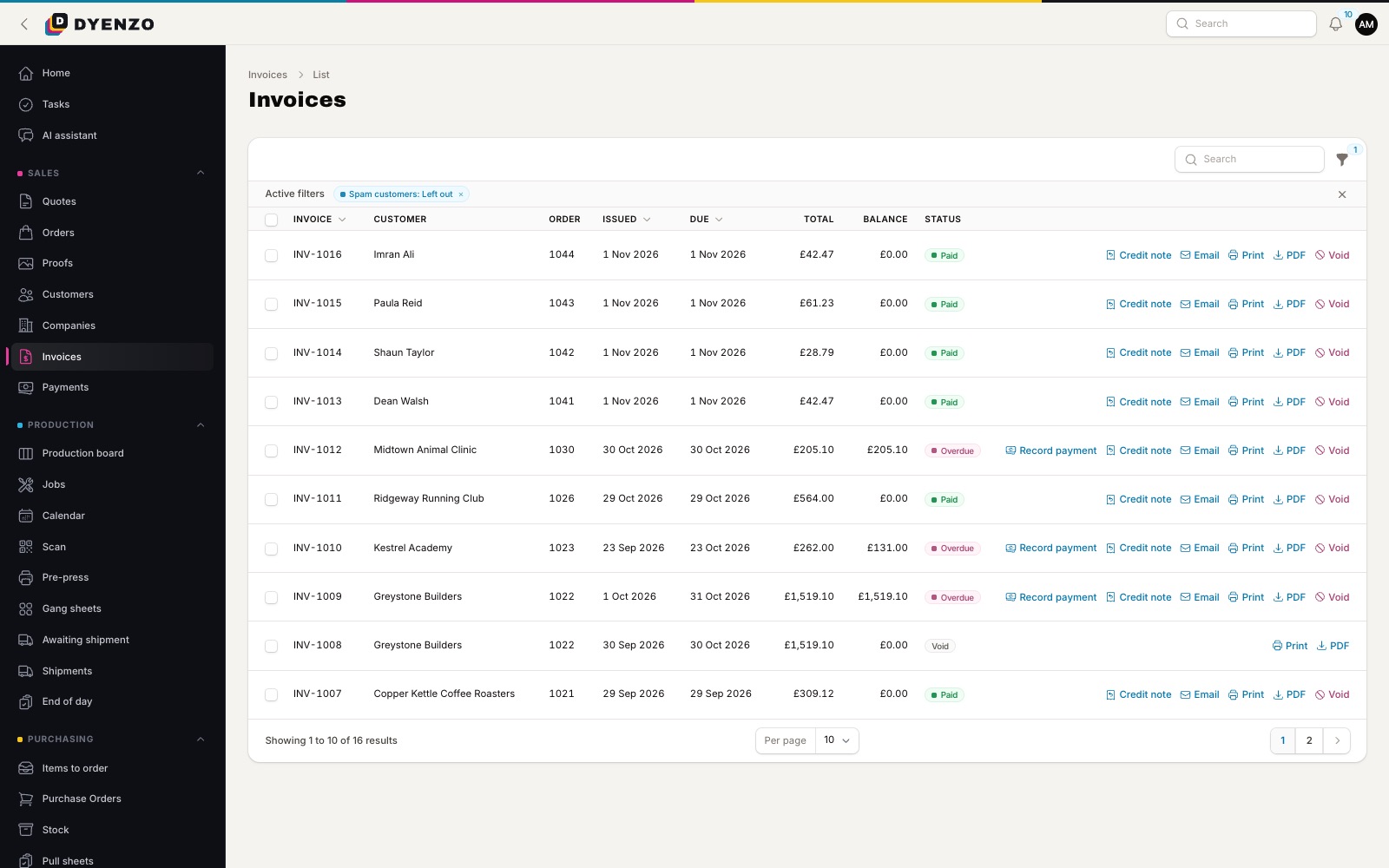
Decorated garments are rarely paid for in one go. There is a deposit to start, sometimes a part payment, then the balance when the job ships. Dyenzo invoices the way print shops really work, from the order itself, so the numbers on the invoice always match the job.
Invoices
- Deposit, part and final invoices from the order, issued with gapless numbers.
- Invoices are never edited or deleted. A mistake is put right with a void or a credit note, and the number is kept.
- Your business name, address and VAT number are fixed on the invoice when it is issued.
- A final invoice locks the order, so the price cannot change after billing.
- Website orders paid in full are invoiced for you.
- Your own terms can go with every invoice email.
Getting paid by card
Connect your own Stripe account and card payments go straight to you. Dyenzo takes no fee on your card payments. Every invoice has a payment link, and the customer pays on a secure Stripe page. Card details never touch Dyenzo. Customers can also save a card for later orders, and you can set a smallest and largest card payment.
Other ways to pay
Offer bank transfer, cheque or cash at checkout, with your own instructions. The order is placed unpaid and staff record the money when it arrives. Staff without approval rights can record payments for a manager to approve. Overpayments become account credit that the customer can spend later.
Accounts, statements and collections
- Let trusted customers pay on account at checkout, with terms and a credit limit.
- Send monthly statements to a company's finance contacts.
- Give a customer one link to pay every open invoice on their statement, or part of it, oldest first.
- See aging and a collections list of who owes what.
- Send payment reminders and overdue notices for you, only between 8am and 8pm and never more than twice a day.
Refunds, credit notes and disputes
Refund all or part of a payment with a reason. Refunds on invoiced money go through a credit note, which can refund, keep the money as credit or write it off. Card disputes show on the invoice as In dispute, and staff are alerted.
Tax and the books
| Area | What Dyenzo does |
|---|---|
| UK VAT | Built in, including zero-rated children's sizes printed as their own line |
| US sales tax | Worked out through TaxJar with your own account, with exemption certificates |
| Your own rates | Set rates by state or postcode, or import them by CSV |
| QuickBooks Online or Xero | Invoices, payments, credit notes and bills sent across, with UK VAT per line |
Terms that fit your customers
Set payment terms per customer or company, counted from the invoice date or from the end of the month. For extra privacy, turn on private invoice links, so an old link stops working after a few days and the customer is sent a fresh one.
What happens next
Paid invoices show in the customer portal with receipts. Reports show sales, gross profit and tax by period, and exports go to your accountant in a few clicks.
Questions
Do you take a cut of my card payments?
No. Payments go to your own Stripe account. Stripe charges its own fees; Dyenzo adds nothing.
Can a customer pay a deposit when they accept a quote?
Yes. Accepting a quote online with a deposit due goes straight to the deposit invoice and payment.
Can I invoice a whole team store at once?
Yes. Each store order can get its own final invoice, all billed to the club or company in one step.
Related
Dyenzo is opening to its first print businesses
Write to us for early access. Tell us what you print and which modules you need.